

Japan Trip Phone Setup: Travelling Smoothly Between Tokyo, Kyoto and Beyond
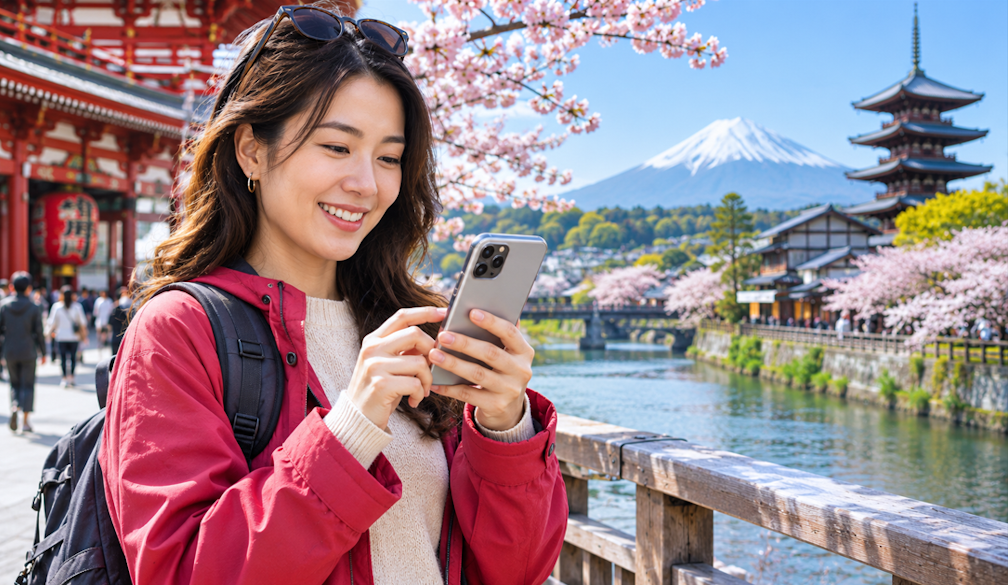
A well-planned Japan trip often comes down to small moments that depend on your phone. The hotel concierge confirms your sushi counter booking by message. A taxi driver in Kyoto needs the ryokan's address in Japanese. Your Shinkansen seat reservation sits in an email you need to open on a crowded platform at Tokyo Station. When the phone cannot connect, each of these turns into a small problem at a time you would rather be enjoying the trip.
Sorting your connection before you fly takes most of that friction away. If your phone supports eSIM and is carrier-unlocked, a TravelKon Japan eSIM can be installed at home and switched on when you land at Narita or Haneda. Read the activation instructions, data allowance and validity before you buy, as these differ between plans, and check whether you need hotspot use for a laptop or a travelling companion's tablet.
Before You Leave Australia
Confirm that your handset supports eSIM and is not locked to your Australian carrier. Install the eSIM over home Wi-Fi, then follow the instructions on when to turn it on, so the plan does not start days before you need it. Keep your Australian SIM in the phone if your bank sends security codes by text, and switch off data roaming on that line so it does not run up charges in the background.
Take screenshots of hotel confirmations, restaurant bookings and rail reservations. Japan is generally well connected, but a screenshot opens instantly when an app is slow to load in a busy station.
Arriving in Tokyo
Haneda is close to the city, while Narita is roughly an hour away by express train or limousine bus. With data from the moment you clear customs, you can let your hotel know you have landed, check the next departure and pull up your hotel's address to show a taxi driver if you prefer a car.
If you use an iPhone, you can add a Suica or PASMO transport card to Apple Wallet and top it up from your phone with a supported card, which saves queueing at ticket machines. Map apps give detailed train directions in Tokyo, often including the platform and the station exit to use, which makes a real difference at sprawling stations like Shinjuku.
Tokyo to Kyoto by Shinkansen
The fastest trains on the Tokaido Shinkansen take around two and a quarter hours between Tokyo and Kyoto. Reserve seats ahead during busy periods such as cherry blossom season and autumn, and look up the luggage rules before you go: on this line, very large suitcases need a reserved oversized-baggage seat. Many travellers send their main luggage ahead with a hotel-to-hotel delivery service instead, and a quick message to the concierge is usually all it takes to arrange.
Keep your booking reference handy on your phone. If plans change, most reservations can be adjusted, and having data on the platform makes that much quicker than finding a ticket office.
Kyoto and Day Trips
Kyoto's buses get very crowded around major temples, so taxis are often worth it for short hops between Gion, Higashiyama and your hotel. Save each destination's Japanese name so drivers can enter it directly. For day trips to Nara, Arashiyama or Uji, check train times on your phone as you go, since some sights close earlier than you might expect.
Restaurant bookings at popular kaiseki and omakase counters are often made through hotel concierges or booking platforms, and confirmations may arrive by message or email. A translation app with a camera function also helps with menus at smaller places that do not have English versions.
Ryokan Stays and Rural Japan
A night in a ryokan is one of the highlights of a trip to Japan for good reason, but traditional inns in rural and mountain areas do not always have Wi-Fi. Japan's national tourism organisation notes this in its guide to Wi-Fi and connectivity, alongside where to find public Wi-Fi at airports and in city hotels. Mobile data matters more if you are heading to Hakone, the Fuji Five Lakes or the Kiso Valley, where you may need to check bus times, contact your host or arrange a pickup from a small station.
Download offline maps for each region before you leave the city, and save your accommodation's phone number in your contacts. Coverage in popular tourist areas is generally good, but signal can drop on mountain roads and in valleys.
Settings Worth Checking
Make sure your travel eSIM is selected as the line for mobile data, and turn on data roaming for that line if the setup instructions ask for it. Low data mode on iPhone or data saver on Android helps a smaller allowance go further. If you plan to share your connection, confirm the plan allows hotspot use before relying on it.
Finally, pack a power bank. Navigation, translation and photos drain a battery quickly on a long day between temples, and some older ryokan rooms have only one or two power points.

 Hashtag.net.au


